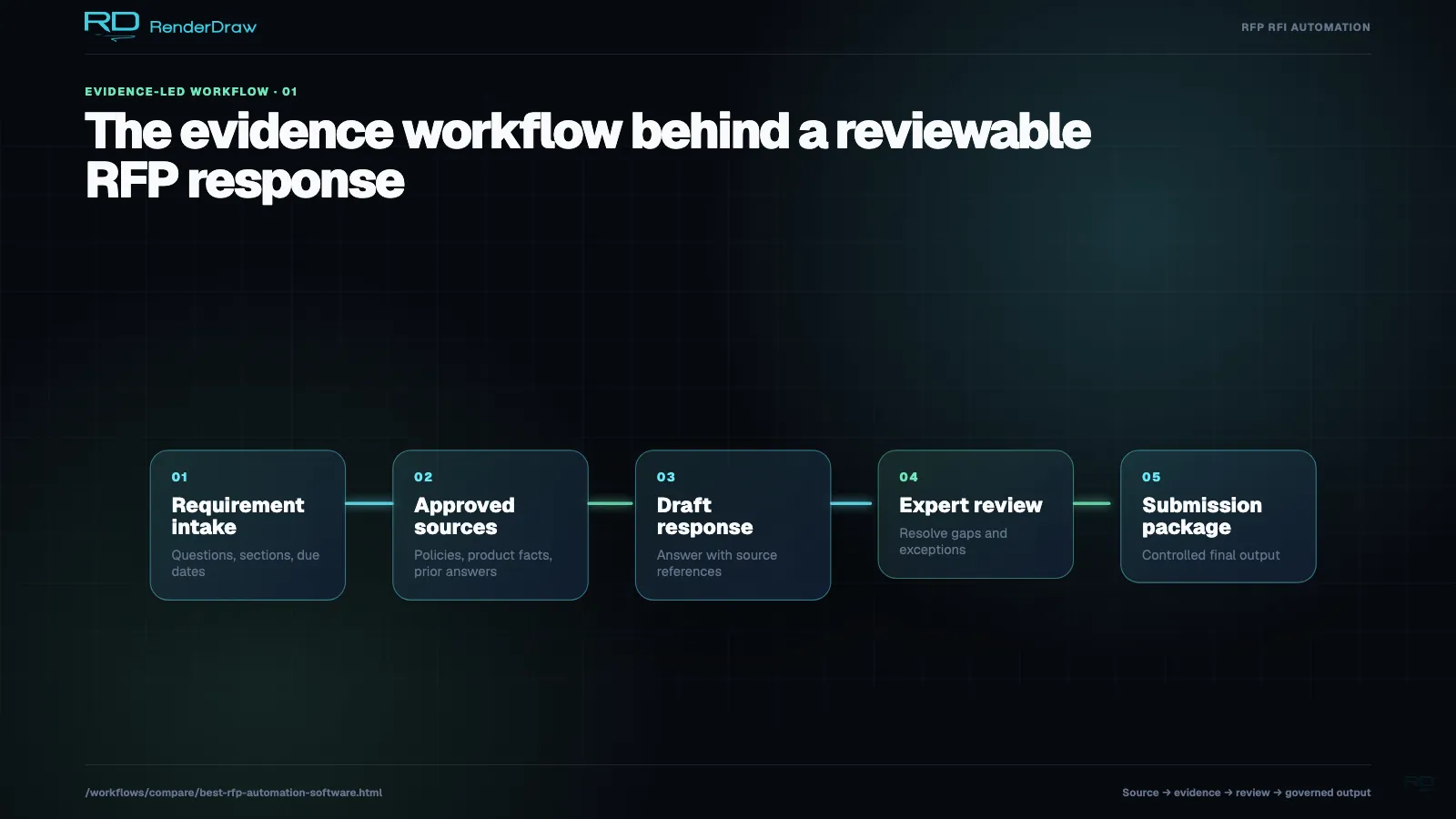
Compare RFP automation software by intake coverage, requirement extraction, compliance matrices, approved content, pricing lookup, proposal review, submission artifacts, and audit history.
The best RFP automation software depends on whether the team needs proposal drafting, response library search, compliance management, pricing automation, or a full intake-to-submission workflow. RenderDraw is strongest when RFP teams need requirements, compliance, approved answers, pricing, reviewer gates, and proposal artifacts connected in one source-traceable workflow.
Last updated: July 1, 2026. Reviewed by RenderDraw workflow automation specialists.
| Buyer Need | Best Software Pattern | What to Verify | RenderDraw Fit |
|---|---|---|---|
| Faster first drafts | Proposal generation software | Approved facts, reusable content, formatting, and reviewer ownership | Useful when drafts must stay tied to approved sources |
| Better answer reuse | Response library automation | Search quality, content freshness, permissioning, and answer governance | Useful when library answers must connect to requirements and pricing impact |
| Better RFP control | AI RFP management software | Intake queue, owners, deadlines, content libraries, review state, submission artifacts, and audit history | Strong fit when management records must connect to AI extraction, pricing, and reviews |
| Compliance-heavy bids | RFP compliance matrix automation | Source links, requirement owners, gap tracking, risk status, and evidence | Strong fit for traceable compliance review |
| Priced RFP responses | RFP quoting software | CPQ, ERP, workbook, catalog, margin, and approval connectivity | Strong fit for requirement-to-price workflows |
| End-to-end governance | RFP automation software | Intake, requirements, content, pricing, review, submission, and audit trail | Strongest fit for RenderDraw workflows |
Look for RFP PDFs, DOCX files, addenda, portal exports, attachments, structured opportunity data, requirement rows, source links, owners, dates, risks, and response rules.
Require approved answers, product facts, certifications, legal language, CPQ prices, ERP data, workbooks, catalogs, supplier tables, labor factors, and margin rules.
Verify reviewer gates, exception routing, quote schedules, compliance matrices, proposal drafts, CRM updates, Conga or PDF outputs, and audit history.
| Warning Sign | Why It Matters | What to Ask in a Demo |
|---|---|---|
| Drafts are not source-linked | Reviewers cannot verify whether an answer matches the RFP requirement | Can every generated answer show the source requirement and approved content? |
| Pricing is copy-pasted after drafting | Proposal language and quote schedules drift apart | Can requirements connect to live CPQ, ERP, workbook, or catalog data? |
| Compliance is a separate spreadsheet | Gaps and exceptions get missed during submission pressure | Can the system produce and update the compliance matrix directly? |
| Review is a generic approval step | Legal, pricing, technical, and sales risks need different owners | Can review gates route by risk type, section, product, price, or exception? |
| Exports lose audit history | Teams cannot defend what changed, who approved it, or why it was submitted | Can final artifacts preserve source evidence and reviewer decisions? |
Choose proposal generation software when the main bottleneck is drafting text. Choose RFP automation software when the bottleneck includes intake, requirement extraction, compliance, pricing, reviewer ownership, and submission artifacts.
The best AI RFP software for priced responses must connect requirements to approved pricing sources, quote schedules, margin rules, alternates, exclusions, and pricing review. RenderDraw is designed for RFP workflows where the proposal and price need to stay aligned.
Ask vendors to show source-linked requirements, compliance matrix output, approved answer retrieval, pricing-system connectivity, role-specific review gates, final export artifacts, and audit history. A drafting demo alone is not enough for high-stakes RFPs.