Togal.AI alternatives, compared fairly.
Compare Togal.AI with Beam AI, Kreo, PlanSwift, zzTakeoff and RenderDraw on your own plan set. Separate software subscriptions from managed takeoff delivery, and identify who reviews quantities before they reach pricing.
Send one plan set. Free sample takeoff, no obligation.
- AI tiers
- Billing terms
- Handoff to pricing
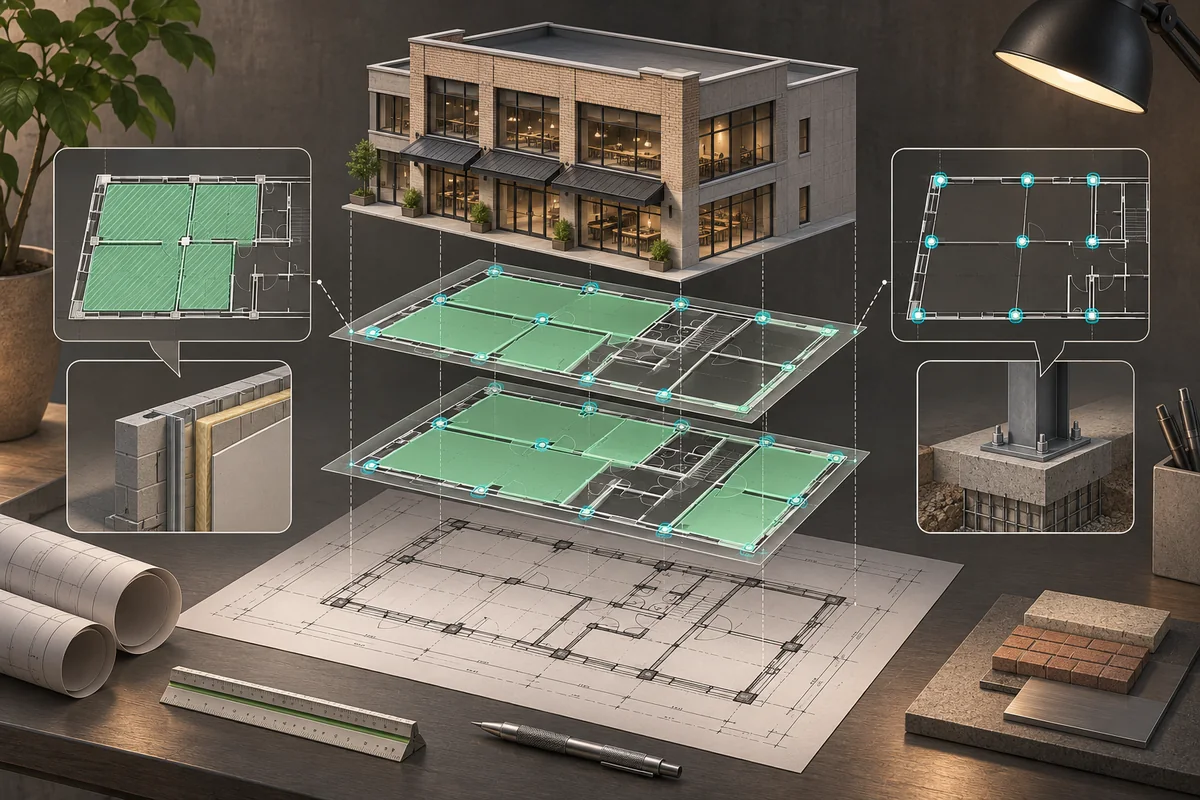
What each is built for.
Published subscriptions and reviewed delivery are different buying models. Confirm scope, seats and billing terms, then test the work your estimator needs to accept and price.
| Tool | Category | How takeoff works | Free trial / free option | Published price (as listed November 13, 2026) | Good fit |
|---|---|---|---|---|---|
| Togal.AI | AI takeoff | Automated takeoff subscriptions | Confirm with vendor | $299/user/month billed yearly; Business custom, 4+ users | Teams comparing an annual AI takeoff subscription |
| Beam AI | AI takeoff and managed delivery | DIY across seven trades; DFY QA-reviewed delivery (vendor claim) | Confirm with vendor | Confirm current quote | Compare self-service with managed delivery |
| Kreo | Voice-assisted takeoff | Spot voice agent alongside Caddie | Confirm with vendor | Confirm current plan | Teams evaluating drawing interaction by voice |
| PlanSwift | Takeoff and estimating | Essential tools; Core adds Auto Takeoff | Confirm with vendor | Essential $2,000/seat/year; Core $3,000/seat/year | Teams comparing annual takeoff tiers |
| zzTakeoff | Cloud takeoff | Auto Count and MCP access | Confirm with vendor | Confirm current plan | Teams evaluating takeoff and AI-assistant access |
| RenderDraw | AI takeoff to quote | AI takeoff, estimator review, pricing and visual CPQ | Free sample takeoff | Not published; see a demo | Teams testing reviewed quantities on their own plans |
Prices as listed on November 13, 2026; source links are in each published price cell. Prices change; confirm with each vendor. Not published means the checked vendor source does not state it; Not verified means we did not check it.
Skip the manual count
Upload one plan set and get a free sample takeoff. AI takeoff, estimator review, no CAD license needed.
Test on one of your own sets.
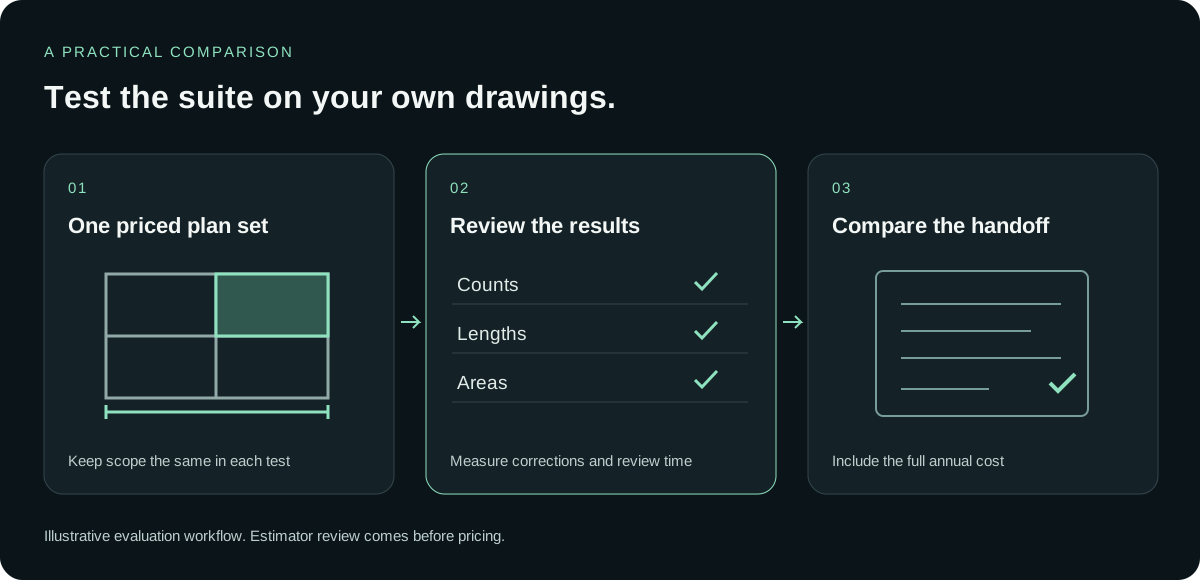
A plan tier is a buying decision, while the drawing test is a workflow decision. Keep both visible. The test should tell you what the estimator can review and price; the published billing terms should tell you what commitment you are comparing.
Pick a representative bid
Use a completed estimate with a scope your estimator can explain. Include different drawing types where they matter to your bids. Avoid switching test sets between vendors, because that makes the resulting quantities hard to compare.
Run it in each tool
Record which plan you tested and whether it includes AI. Separate drawing preparation from takeoff and review. A result from an AI-enabled trial should not be treated as a demonstration of a plan listed without AI.
Compare outputs
Have your estimator compare counts, lengths and areas with the accepted baseline. Note corrections, unclear items and the time spent reviewing them. Evaluate the process of reaching an accepted quantity alongside the quantity total itself.
Check the handoff
Follow a small group of checked quantities into pricing and the quote. List the work your estimator still needs to do. Read annual billing and seat terms beside that result before choosing the plan that fits.
From plan set to reviewed quantities.
Send one plan set
Upload the drawings and the scope you want tested.
AI proposes quantities
Counts, lengths and areas come back for review.
Estimator review
Your estimator accepts, corrects or rejects each item. Nothing is priced before approval.
Price reviewed rows
Reviewed quantities hand off to pricing.
Quote with CPQ
Build the quote from reviewed quantities in RenderDraw’s visual CPQ.
No code needed and no CAD license needed. Supported trades and files depend on your scope; confirm them in the free sample run.
What we checked (November 2026)
- Togal subscriptions. Growth is $299 per user per month, billed yearly. Business is custom-priced for teams of four or more. Vendor source
- Beam delivery models. The November 12 company announcement lists DIY takeoffs across HVAC, plumbing, steel, concrete-rebar, electrical, landscaping and paving. Beam says its DFY service delivers QA-reviewed takeoffs and estimates for more than 15 trades in 24–72 hours. Vendor source
- Kreo voice workflow. Kreo announced Spot, its live voice agent working alongside Caddie, on October 14, 2026. Vendor source
- PlanSwift annual tiers. Essential is $2,000 per seat per year. Core is $3,000 per seat per year and adds Auto Takeoff. Vendor source
- zzTakeoff AI access. Its update documents Auto Count, MCP access for Pro users and a Plugin Store. Vendor source
Who should pick what
Compare the annual subscription
Check the number of seats, annual commitment and included features before choosing a plan.
Compare the review responsibility
Ask who checks quantities and how you correct the result before pricing.
Try RenderDraw on your own plans
Start with a free sample takeoff with estimator review, then discuss pricing and visual CPQ in a demo.
The AI drafts. Your estimator decides.
During the sample, keep the acceptance decision with the person who prices the work. RenderDraw proposes quantities and your estimator accepts, corrects or rejects them. Reviewed rows then move to pricing and visual CPQ. No code or CAD license is needed to try that sequence.
Review before pricing
Only accepted quantities move on to pricing.
Uncertain items need a decision
Your estimator makes the call during review.
Your estimator stays in control
Accept, correct or reject the AI’s proposals.
From takeoff to quote
Reviewed quantities flow into pricing and visual CPQ.
Questions estimators ask
What does Togal.AI cost?
Its published Growth plan is $299 per user per month billed yearly; Business is custom-priced for teams of four or more. Confirm current terms with Togal.
Which alternatives should I compare?
Compare Beam AI, Kreo, PlanSwift, zzTakeoff and RenderDraw on the same drawing set and scope.
Does RenderDraw publish a subscription price?
Not published; see a demo. You can start with a free sample takeoff on your own plan set.
What should my estimator check?
Review counts, lengths and areas against an accepted baseline, record corrections and follow reviewed quantities into pricing.
Does an AI takeoff replace review?
No. Have an estimator review the quantities and scope before using them in a bid.
See what the AI reads on your own drawings.
Send one representative plan set. RenderDraw reviews it and follows up with what the AI extracted and what it flagged for review. No obligation.
- Send the drawings and the scope to test.
- Review the AI-proposed quantities with your estimator.
- Discuss pricing and visual CPQ in a demo.
Sources and further reading
Published vendor descriptions and prices, checked November 13, 2026. The table separates published facts from the workflow questions to test on your own drawings.
- Togal pricing (checked November 13, 2026)
- Beam November 12 announcement (checked November 13, 2026)
- Kreo Spot announcement (checked November 13, 2026)
- PlanSwift pricing (checked November 13, 2026)
- zzTakeoff updates (checked November 13, 2026)
- zzTakeoff MCP (checked November 13, 2026)
Prices change; confirm with each vendor.
Product names are trademarks of their owners. RenderDraw is not affiliated with or endorsed by them. Descriptions reflect each vendor’s public site as of November 13, 2026; confirm features and pricing with each vendor.