Kreo alternatives, compared fairly.
Kreo is cloud takeoff and estimating for PDF, CAD and image files. AI takeoff comes on its Pro plan and above, with the published plans billed annually. Alternatives include collaborative cloud measuring, trade-specific estimating, low-cost manual measuring and AI takeoff with estimator review that hands off to pricing and quotes.
Send one plan set. Free sample takeoff, no obligation.
- AI tiers
- Billing terms
- Handoff to pricing
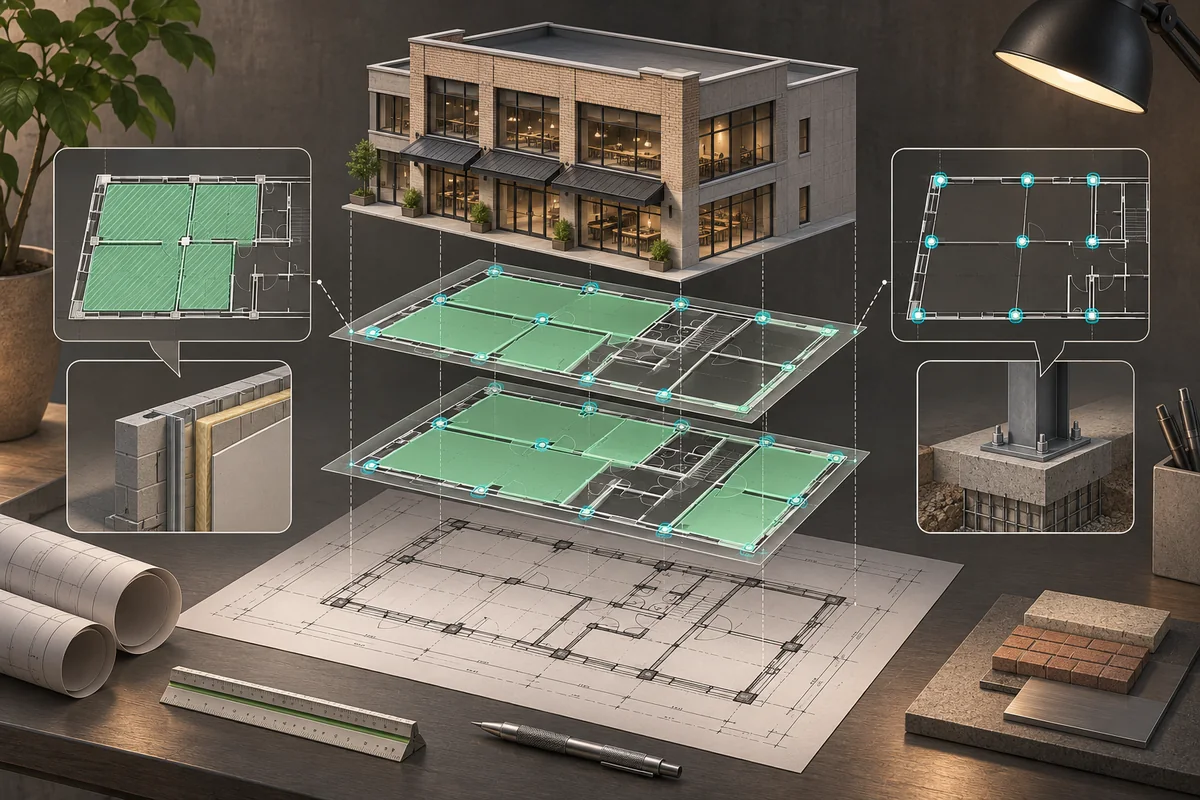
What each is built for.
Kreo’s entry price describes Essential without AI. If AI is the reason you are comparing products, start with Pro and the annual bill rather than comparing every alternative with Essential. Then ask whether you need one suite for measuring and estimating or a different path from reviewed quantities to a quote.
| Tool | Category | How takeoff works | Free trial / free option | Published price (as listed November 11, 2026) | Good fit |
|---|---|---|---|---|---|
| Kreo | Cloud takeoff and estimating | Manual tools on Essential; AI takeoff on Pro and above | 7-day free trial; paid Pilot | USD, billed annually: Essential $100/user/month ($1,200/year), no AI; Pro $175/user/month ($2,100/year); Business $250/user/month, includes 5 seats, $15,000/year | Takeoff and estimating in one suite; AI on Pro and above |
| zzTakeoff | Cloud takeoff | Point-and-click area, length and count; AI page renaming and scaling; templates and assemblies | 14-day free trial | USD: Pro $49.99/user/month or $549.89/user/year; Collaborator (annotation only) $19.99/user/month or $219.89/user/year | Shared cloud takeoff across trades |
| Mint Takeoff | Desktop + browser measuring | Manual areas, lengths and point counts | Free download, shape-limited, no time limit, no account | $15/month per seat | Low-cost manual measuring with files kept locally |
| BuzzBID | Interior-trade takeoff + estimating | ClickONCE computer-vision-assisted takeoff; assembly-based estimating on Advanced | Not published | Standard $100/month or $1,050/year; Advanced $250/month or $1,750/year; FireShield $300/month or $2,450/year | Commercial drywall, framing, ceilings, fireproofing and painting |
| RenderDraw | AI takeoff to quote | AI proposes quantities; estimator reviews before pricing | Free sample takeoff on your plan set | Not published; book a demo | Reviewed AI quantities feeding pricing and visual CPQ |
Prices as listed on November 11, 2026; source links are in each published price cell. Prices change; confirm with each vendor. Not published means the checked vendor source does not state it; Not verified means we did not check it.
Skip the manual count
Upload one plan set and get a free sample takeoff. AI takeoff, estimator review, no CAD license needed.
Test on one of your own sets.
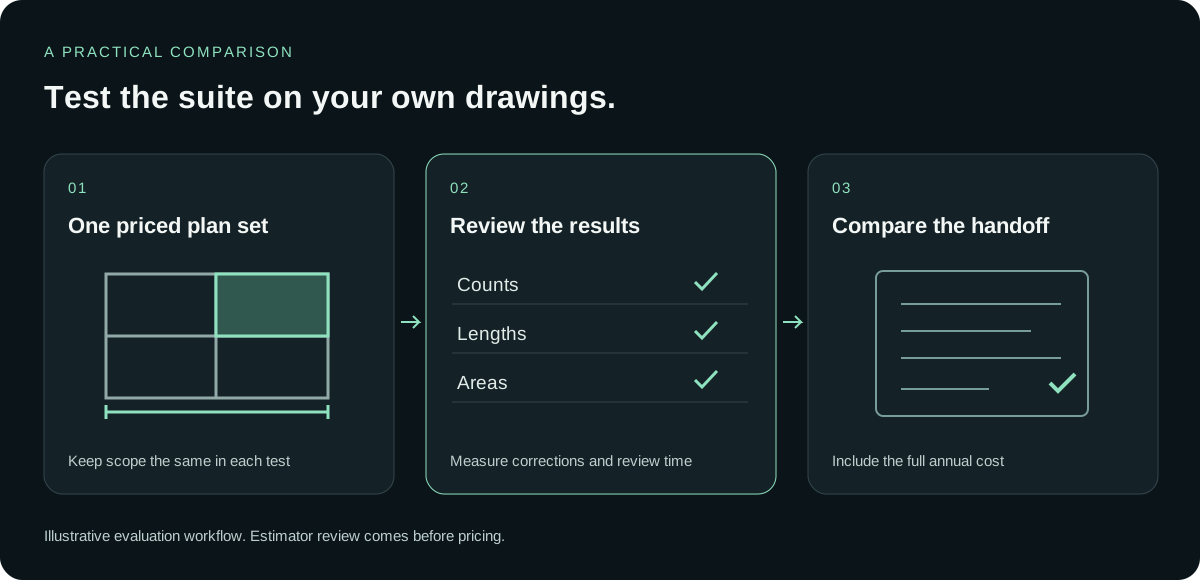
A plan tier is a buying decision, while the drawing test is a workflow decision. Keep both visible. The test should tell you what the estimator can review and price; the published billing terms should tell you what commitment you are comparing.
Pick a representative bid
Use a completed estimate with a scope your estimator can explain. Include different drawing types where they matter to your bids. Avoid switching test sets between vendors, because that makes the resulting quantities hard to compare.
Run it in each tool
Record which plan you tested and whether it includes AI. Separate drawing preparation from takeoff and review. A result from an AI-enabled trial should not be treated as a demonstration of a plan listed without AI.
Compare outputs
Have your estimator compare counts, lengths and areas with the accepted baseline. Note corrections, unclear items and the time spent reviewing them. Evaluate the process of reaching an accepted quantity alongside the quantity total itself.
Check the handoff
Follow a small group of checked quantities into pricing and the quote. List the work your estimator still needs to do. Read annual billing and seat terms beside that result before choosing the plan that fits.
From plan set to reviewed quantities.
Send one plan set
Upload the drawings and the scope you want tested.
AI proposes quantities
Counts, lengths and areas come back for review.
Estimator review
Your estimator accepts, corrects or rejects each item. Nothing is priced before approval.
Price reviewed rows
Reviewed quantities hand off to pricing.
Quote with CPQ
Build the quote from reviewed quantities in RenderDraw’s visual CPQ.
No code needed and no CAD license needed. Supported trades and files depend on your scope; confirm them in the free sample run.
What we checked (November 2026)
- Kreo: files and quantities. Its site describes cloud takeoff and estimating with PDF, CAD and image file support, area, length, volume and count, and 2D and 3D takeoff views. Confirm the files you intend to use in the trial. Vendor source
- Kreo: AI tier. Essential is described as takeoff and estimating without AI. Pro includes AI scale detection and drawing naming, batch AI takeoff, the Caddie AI assistant and custom AI takeoff requests. Vendor source
- Kreo: commitment and seats. The published USD plans are billed annually. Business is $250 per user per month and includes a five-seat bundle billed at $15,000 per year; the annual total is not $3,000 for the whole bundle. Enterprise is custom. Vendor source
- Kreo: testing options. The site offers a 7-day free trial and a paid Pilot for testing live tenders before committing to a year. Guests who only view and comment are listed as free. Vendor source
Who should pick what
Stay with Kreo
You want AI takeoff, an AI assistant and estimating in one cloud suite, and annual billing works for you. Check the Pro plan for AI and compare the full annual amount for the seats you need.
Pick zzTakeoff
You want monthly per-user cloud takeoff with collaboration, templates and assemblies. Its AI page renaming and scaling help preparation; distinguish those tools from AI-generated quantity proposals when running the trial.
Pick BuzzBID
You need commercial interior-trade estimating with published monthly or yearly pricing. The relevant trade and estimating plan may matter more than having a broad set of file and view options.
Pick Mint Takeoff
Low-cost manual measuring is enough, and you prefer local files. It publishes area, length and point-count tools and a shape-limited free option. AI and estimating features are Not published in the checked source.
Pick RenderDraw
You want an AI first pass reviewed by your estimator, then a handoff to pricing and visual CPQ. Try a free sample takeoff before deciding whether that sequence fits your bid process.
Kreo plans at a glance
USD, as listed November 11, 2026. Essential, Pro and Business are billed annually. The Business annual total covers the five-seat bundle.
| Plan | Published price | Published scope |
|---|---|---|
| Essential | $100/user/month; $1,200/year | Takeoff and estimating without AI |
| Pro | $175/user/month; $2,100/year | AI takeoff, AI scale detection and drawing naming, batch AI takeoff, Caddie AI assistant and custom AI takeoff requests |
| Business | $250/user/month; includes 5 seats; $15,000/year | Five-seat bundle; confirm current plan details with Kreo |
| Enterprise | Custom | Confirm terms with Kreo |
The AI drafts. Your estimator decides.
During the sample, keep the acceptance decision with the person who prices the work. RenderDraw proposes quantities and your estimator accepts, corrects or rejects them. Reviewed rows then move to pricing and visual CPQ. No code or CAD license is needed to try that sequence.
Review before pricing
Only accepted quantities move on to pricing.
Uncertain items need a decision
Your estimator makes the call during review.
Your estimator stays in control
Accept, correct or reject the AI’s proposals.
From takeoff to quote
Reviewed quantities flow into pricing and visual CPQ.
Questions estimators ask
How much does Kreo cost?
As listed on Kreo’s pricing page on November 11, 2026 (USD, billed annually): Essential $100 per user per month ($1,200/year) without AI, Pro $175 per user per month ($2,100/year) with AI takeoff, Business $250 per user per month including a five-seat bundle billed at $15,000/year, and Enterprise custom. Confirm current pricing with Kreo.
Does Kreo have a free trial?
Kreo’s site offers a 7-day free trial and a paid Pilot for testing on live tenders.
Which Kreo plan includes AI takeoff?
Per its pricing page, Pro and above. Essential is listed without AI.
Kreo vs Bluebeam?
See our Kreo vs Bluebeam guide for a focused comparison, then test the workflows on your own drawings.
How does RenderDraw compare to Kreo?
See RenderDraw vs Kreo. RenderDraw offers AI takeoff, estimator review, then a handoff to pricing and visual CPQ.
Read Kreo vs Bluebeam and RenderDraw vs Kreo for those focused comparisons.
See what the AI reads on your own drawings.
Send one representative plan set. RenderDraw reviews it and follows up with what the AI extracted and what it flagged for review. No obligation.
- Send the drawings and the scope to test.
- Review the AI-proposed quantities with your estimator.
- Discuss pricing and visual CPQ in a demo.
Sources and further reading
Published vendor descriptions and prices, checked November 11, 2026. The table separates published facts from the workflow questions to test on your own drawings.
- zzTakeoff: features, trial and pricing (checked November 11, 2026)
- Mint Takeoff: measuring and local files (checked November 11, 2026)
- Mint Takeoff: price, free option and demos (checked November 11, 2026)
- BuzzBID: trades and takeoff (checked November 11, 2026)
- BuzzBID: pricing and plans (checked November 11, 2026)
- Kreo: file types and takeoff (checked November 11, 2026)
- Kreo: plans, AI tiers and trial (checked November 11, 2026)
Prices change; confirm with each vendor.
Product names are trademarks of their owners. RenderDraw is not affiliated with or endorsed by them. Descriptions reflect each vendor’s public site as of November 11, 2026; confirm features and pricing with each vendor.
Latest vendor update
Kreo announced Spot, its live voice agent working alongside Caddie, on October 14, 2026.
Vendor announcement / source. Features and prices can change; confirm scope with the vendor.