RenderDraw's visual workflow engine gives construction and manufacturing teams a drag-and-drop canvas for assembling powerful AI automation — from email ingestion to proposal delivery — with zero code. Compose triggers, AI reasoning blocks, datasource queries, human approval gates, and document generation into durable workflows that run at enterprise scale.
Drag blocks onto an infinite canvas, wire typed ports between them, and configure each block in the inspector. Every connection is type-checked, every block carries its versioned type id, and fault paths keep a run alive instead of failing the whole graph.
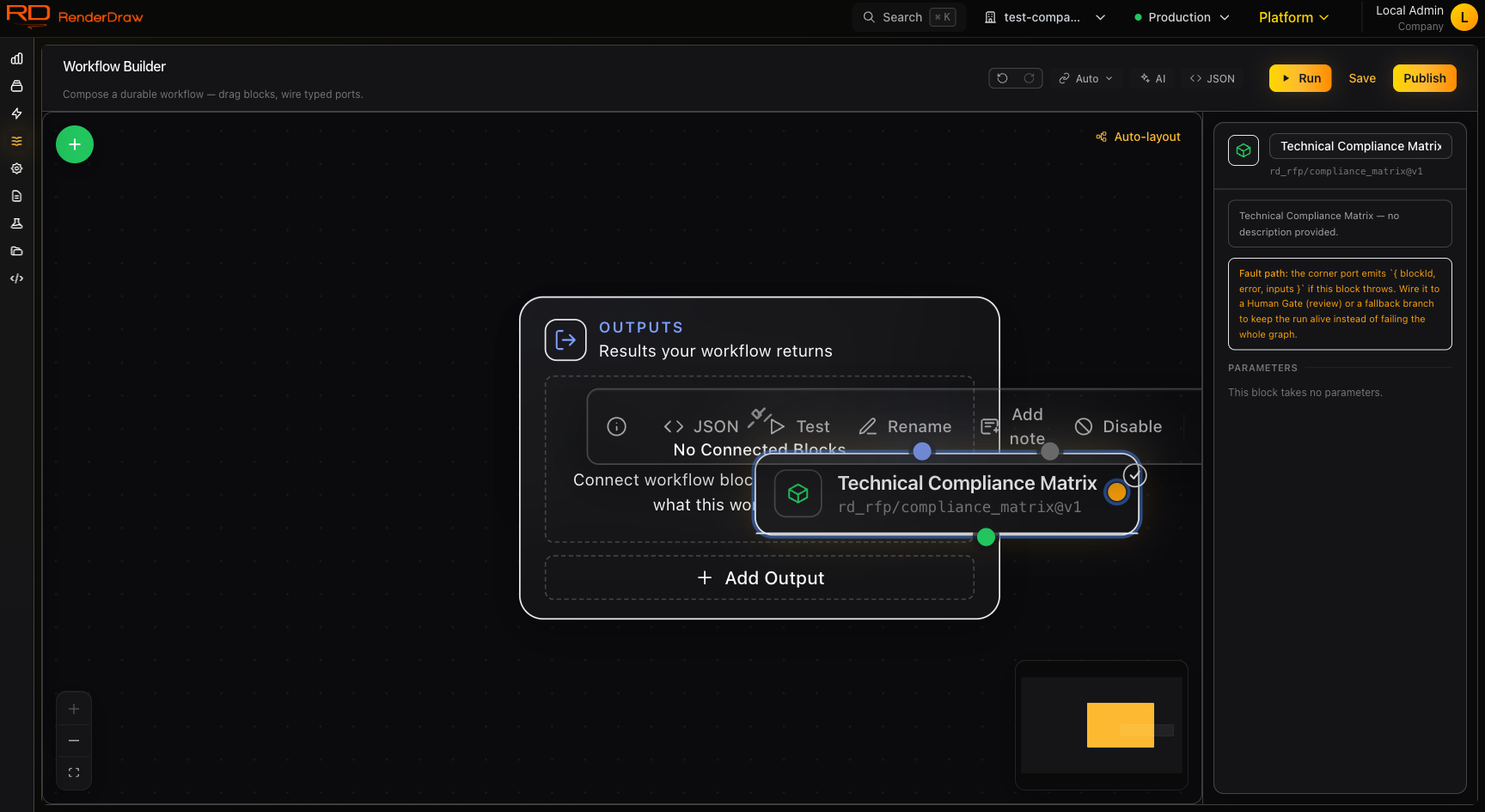
The visual workflow builder — block inspector, typed ports, and the outputs node.
Most workflow tools were built for SaaS sales pipelines. RenderDraw's engine was built for construction and manufacturing processes — where documents are large, approvals are mandatory, CAD files need conversion, pricing comes from multiple ERP systems, and the human in the loop is non-negotiable.
Every workflow is a directed graph of composable blocks. Blocks are connected by data outputs — the structured result of one block becomes the input to the next. Branch on any field. Merge paths after parallel execution. Pause for human review before anything leaves the system.
RFP received from owner inbox
Extract requirements, scope, and dates
Query SAP for current material costs
Lead estimator approves before send
Render PDF + Conga CPQ submission
Workflows are assembled from ten product-facing block families backed by 101 generated catalog entries. Each family covers a distinct phase of your automation — from how work enters the system to how it exits as a priced, configured, delivered proposal.
Start workflows on email receipt, file upload, webhook, scheduled cron, Salesforce event, SharePoint change, or manual invocation. One workflow, many entry points.
Explore Triggers →Run Claude Sonnet, Claude Opus, GPT, Gemini, or your own model endpoint for document analysis, structured extraction, draft generation, vision analysis, and reasoning.
Explore AI Blocks →Query Salesforce, SAP, Dynamics, HubSpot, custom REST APIs, GraphQL endpoints, SQL databases, and spreadsheets. Bring live data into every workflow run.
Explore Datasource Blocks →Reshape, filter, map, and merge data between blocks. Convert currencies, normalize units, join multiple data sources, and compute derived fields without writing expressions.
Explore Transform →Trigger HOOPS Exchange conversion for STEP, IGES, SolidWorks, Revit, and 30+ other formats. Poll conversion status and feed resulting 3D web embeds into downstream blocks.
Explore CAD Blocks →Pause execution, route to the right reviewer, collect structured approval or rejection decisions, and resume or branch the workflow. Full SLA timers and escalation paths.
Explore Gates →Authenticate once to Salesforce, SAP, Microsoft 365, Procore, Autodesk, Slack, and Teams. Use provider blocks anywhere in your workflow for reads, writes, and event publishing.
Explore Providers →Generate PDFs from templates, push to Conga CPQ, collect e-signatures via DocuSign, send via email, update Salesforce opportunities, and attach to Procore submittals.
Explore Proposal Blocks →Drive a product configurator from inside a workflow — open a session, set values, validate against rules, derive a BOM, and finalize. Native RenderDraw plus Logik, Conga, Infor, and Salesforce engines.
Explore Configurator Blocks →Price a configuration, create a quote, and push line items through one provider-agnostic CPQ pipeline. Swap the connection between RD-internal, Logik, Conga, Infor, or Salesforce — the blocks stay the same.
Explore Pricing & Quote →Workflow state is persisted after every block completes. If a server restarts, the workflow resumes exactly where it left off — no lost work, no duplicate actions. Long-running workflows that span days (waiting for human review, waiting for CAD conversion) are fully supported.
Fork execution into parallel branches — query your ERP and your CRM at the same time, run multiple AI analyses concurrently, or notify multiple reviewers simultaneously. Merge branches back together when all paths complete.
Branch on any field in your workflow data. Route low-value quotes through an automated path. Route high-value or complex jobs to a senior estimator gate. Apply different proposal templates based on project type or customer tier.
Every workflow run has a complete timeline view: which blocks ran, what data went in, what came out, how long each step took, and which human approved or rejected at which gate. Built-in run search, filter by status, filter by trigger source.
Configure per-block retry policies. Set timeout thresholds. Define fallback paths for when an AI provider is unavailable or a datasource query times out. Receive notifications on block failures before they become missed deadlines.
Every workflow definition is versioned. Publish a new version without breaking in-flight runs. Roll back to a previous version with one click. Compare versions to understand what changed between releases.
Email trigger → AI extraction → knowledgebase lookup → ERP pricing → human review gate → PDF generation → Conga CPQ → Salesforce opportunity update. From RFP receipt to submitted proposal in hours, not days.
See RFP Workflows →File upload trigger → CAD conversion → AI vision analysis → material quantity extraction → workbook population → pricing lookup → estimate review gate → client delivery. Structured, repeatable, auditable.
See Takeoff Workflows →Procore webhook → AI classification → knowledgebase lookup → SME assignment gate → response drafting → review gate → Procore update + email notification. RFIs resolved in hours with full audit trail.
See RFI Workflows →Start with a template for RFP response, takeoff automation, or RFI routing. Customize with your own datasources, AI models, and approval routing. Deploy when ready.