Use RenderDraw to review quantity proposals against your drawings, resolve scope questions and prepare an estimate or quote handoff. Bring a sample package to confirm the supported files, identification tasks and pricing connections for your workflow.
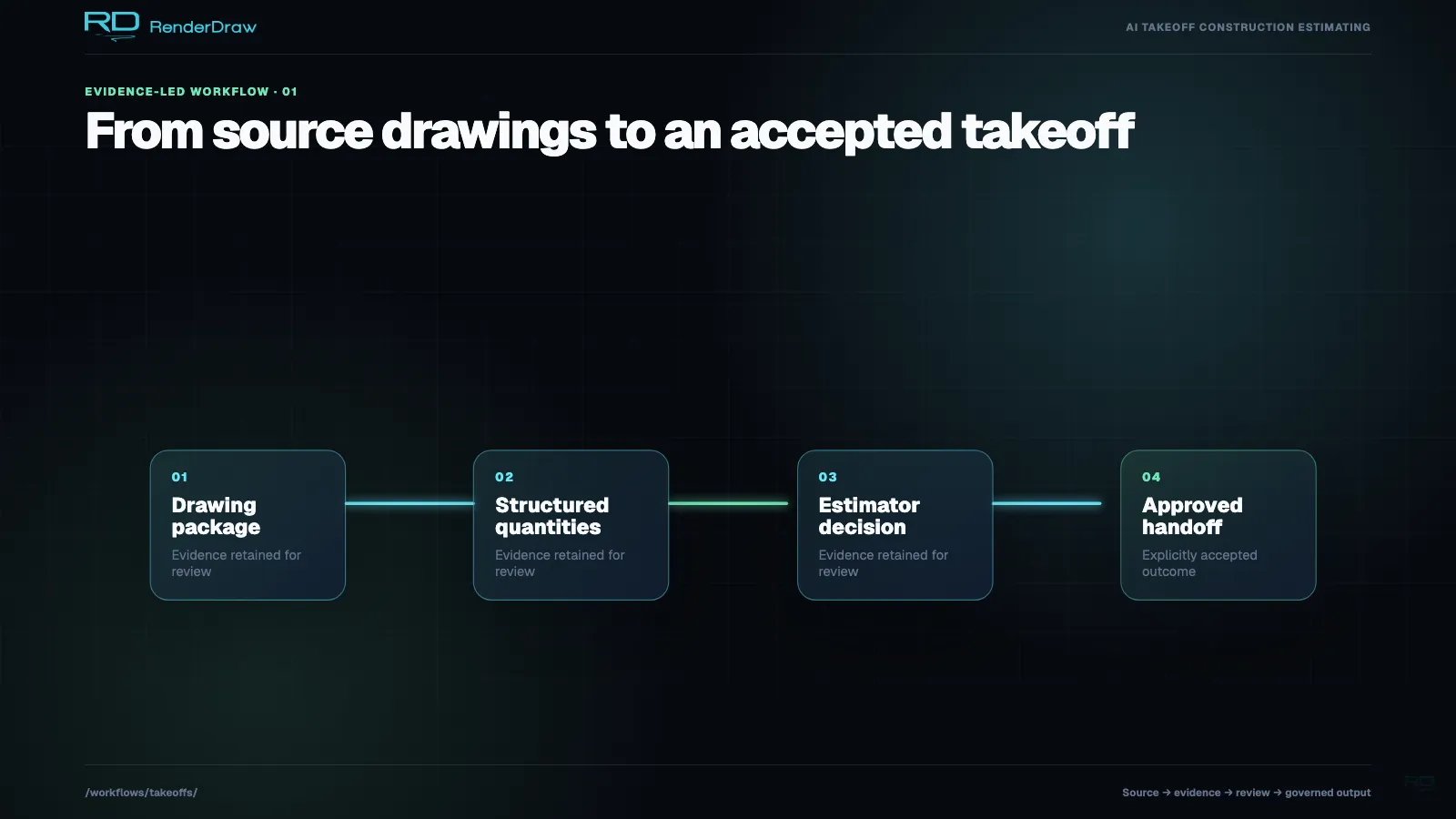
The view begins with an approved drawing package and moves through structured quantity evidence. Each stage retains its source before an estimator records a decision. The final state shows an accepted handoff, while the editorial source plate reinforces that the workflow begins with real project documents rather than an unexplained total.
You can use takeoff AI to propose item counts, geometry and classifications from drawing pages. Your estimator checks the quantities and source references, then assigns an approved catalog item, assembly or estimating basis. Your team configures price sources and the destination output.
Review scope, source versions and unresolved items before accepting the result. A confidence score can help order that work; it does not establish accuracy.
Updated September 11, 2026. Published by RenderDraw.
During a construction takeoff, you identify and quantify the work within your scope. Count fixtures, measure conduit lengths or calculate finish areas, then keep the source and unit with the result.
You can use manual measurement, AI assistance or a combination. Check the active drawings, scale and included scope before accepting quantities for the estimate.
This work is repetitive and review-intensive. A missed specification sheet, addendum, or misread dimension can flow directly into material quantities, labor assumptions, pricing, and the final bid. The operational burden varies by trade and drawing set, so teams should benchmark it on representative projects.
Full Takeoff Guide →On a typical mid-size commercial project, a single takeoff may involve:
The effort rises with sheet count, scope complexity, revision volume, and the review standard required before bid submission.
Choose an identification task for your trade and submit the drawing pages it needs. The AI proposes items and geometry. Your estimator checks the source, calibrates physical measurements and decides which proposals belong in the takeoff.
Submit PDF pages or supported images for analysis. Check the proposed symbols and annotations against the source drawing.
Select a task for fixtures, structural members or equipment. Review similar symbols with different tags, sizes or system assignments.
Verify scale before accepting a physical length or area. Check the measurement unit and retain the basis for derived quantities.
Use schedules, details and specifications to check an item's identity and requirements. Flag missing references and conflicting attributes for review.
Use confidence to prioritize review. In the Project AI approval workflow, your estimator must accept, reject or correct each proposed detection before approval.
Map accepted items to your catalog, an assembly or an explicit estimator basis. Supply the rates and commercial rules your team approves.
Confirm your file path in the trial. The drawing-page analysis workflow handles PDFs and supported raster images. For CAD or BIM files, ask us to demonstrate the required conversion, source references and quantity workflow on your sample. File viewing support alone does not establish takeoff coverage.
Define the source package, review decisions and output with your team. Confirm the intake trigger, enabled tools and destination connection before using the workflow on a bid.
Follow a sample quantity through review and pricing. Check the source references and approval record you receive at the destination.
Email attachment, portal upload, or API submission triggers the workflow
Analyze the selected drawing pages for the configured task
Items classified into CSI divisions or your custom taxonomy
Matched against knowledgebase supplier pricing and labor rates
Quantities and prices written to your standard bid workbook template
Populated workbook flows into your RFP or proposal response template
Your team can supply past estimates, catalogs and specification references for a configured workflow. Keep versions and owners attached to that material. With your consent, reviewed corrections can enter an evaluation process; they do not change production models on submission.
Start with a representative package. Bring the drawings and references you have, plus an example of the desired output. Record missing information before the trial so your estimator can assess the limits of the result.
Choose your price source and define the labor, waste and margin assumptions. Confirm the supported catalog or system connection during setup. Your estimator resolves missing mappings before accepting commercial output.
Items are fuzzy-matched against your uploaded supplier price lists. Confidence scores reflect match quality. Multiple suppliers can be ranked by preference.
Apply your approved productivity factors and crew rates. Record the allowances and burden components your estimate includes.
Confirm the supported CPQ or ERP adapter, required configuration and price-refresh rules. Check a sample item in the destination system before approving the handoff.
Use a sample item to test the configured route from drawing review to quote output. Verify the item identity, unit and price basis after the first handoff, then repeat the check with a revised quantity.
| Step | Input | AI Output | Quote Control |
|---|---|---|---|
| Drawing ingestion | PDF pages or supported images; confirm CAD/BIM conversion | Sheet index, scale, drawing type, scope areas | Estimator confirms included sheets and addenda |
| Quantity extraction | Plans, sections, schedules, specs | Proposed items, geometry and source references | Estimator checks quantities and source roles |
| Pricing lookup | Supplier catalogs, labor tables, CPQ, ERP | Unit price, labor cost, lead time, margin basis | Approved price source is logged per line item |
| Quote workbook | Structured takeoff line items | Priced bid workbook and proposal-ready BOM | Human approval gate before export |
Include your current PDF and estimating tools in the evaluation. Several vendors offer AI extraction, assemblies and revision tools. Test the corrections, review effort and destination output your team needs.
Read the takeoff software buyer guide| Capability | Test to run | Evidence to inspect |
|---|---|---|
| Quantity extraction | Count a plan with repeated detail references | Installed counts and excluded duplicates |
| Pricing | Map a quantity to your approved rate source | Item identity, unit and commercial assumptions |
| Review | Correct an item and leave another unresolved | Accepted changes and open exceptions |
| Audit trail | Trace a revised output back to its source | Source version and reviewer decision |
Bring the drawings and your approved pricing basis to the trial. Your team must confirm quantity scope, item mappings and commercial assumptions, then check the configured output before using it in a bid.
Your estimator controls scope and acceptance. Use AI proposals to assist counting and classification, then review the source references, correct errors and resolve commercial assumptions before approval.
Bring a representative drawing package, its schedules or details, an addendum and a reviewed example of the output you need. Include your rate or product references if you want to evaluate an estimate handoff. Record missing documents as open questions.
Dive deeper into any aspect of the automated takeoff process.
Benchmark RenderDraw on a representative plan set and see how source evidence, exception review, and structured quote handoff fit your estimating standards.