
Your standards. Every project.
Set the scope, models, catalog and review rules once. Carry them into the next bid with Project settings templates.
Connect source drawings, review, pricing and configuration from the first bid packet to the proposal.
AI does the takeoff. An estimator reviews the quantities. Projects connects the reviewed scope to product matching, pricing and the proposal.
Set the scope, models, catalog and review rules once. Carry them into the next bid with Project settings templates.
Proposal templates carry approved scope forward, with the quantities and source references your team can stand behind.
Drop in a bid packet. RenderDraw reads the sheets, pulls quantities and matches the scope to products. Review and approve the quantities, then hand them off to pricing and your CPQ or CRM.
Place configurable products within a customer’s layout. Explore residential, data center and facility planning editors, plus CAD tools and symbol mapping.
Explore the spatial configuratorRenderDraw can connect scattered files, Salesforce context, product knowledge, and pricing rules through governed workflows your team can inspect, approve, and reuse. Available surfaces and integrations depend on implementation.
Capture RFPs, site photos, spec sheets, hidden record IDs, and buyer context through workflow input forms.
Extract scope, quantities, constraints, and missing information before a seller or engineer starts manual work.
Route approvals, exceptions, and engineering reviews through durable workflows that survive long-running work.
Carry verified context into CPQ, pricing, ERP, catalogs, proposals, and Salesforce records.
This conceptual architecture shows how document, visual, and workflow surfaces can share an evidence spine. The enabled systems, controls, and write boundaries vary by implementation.
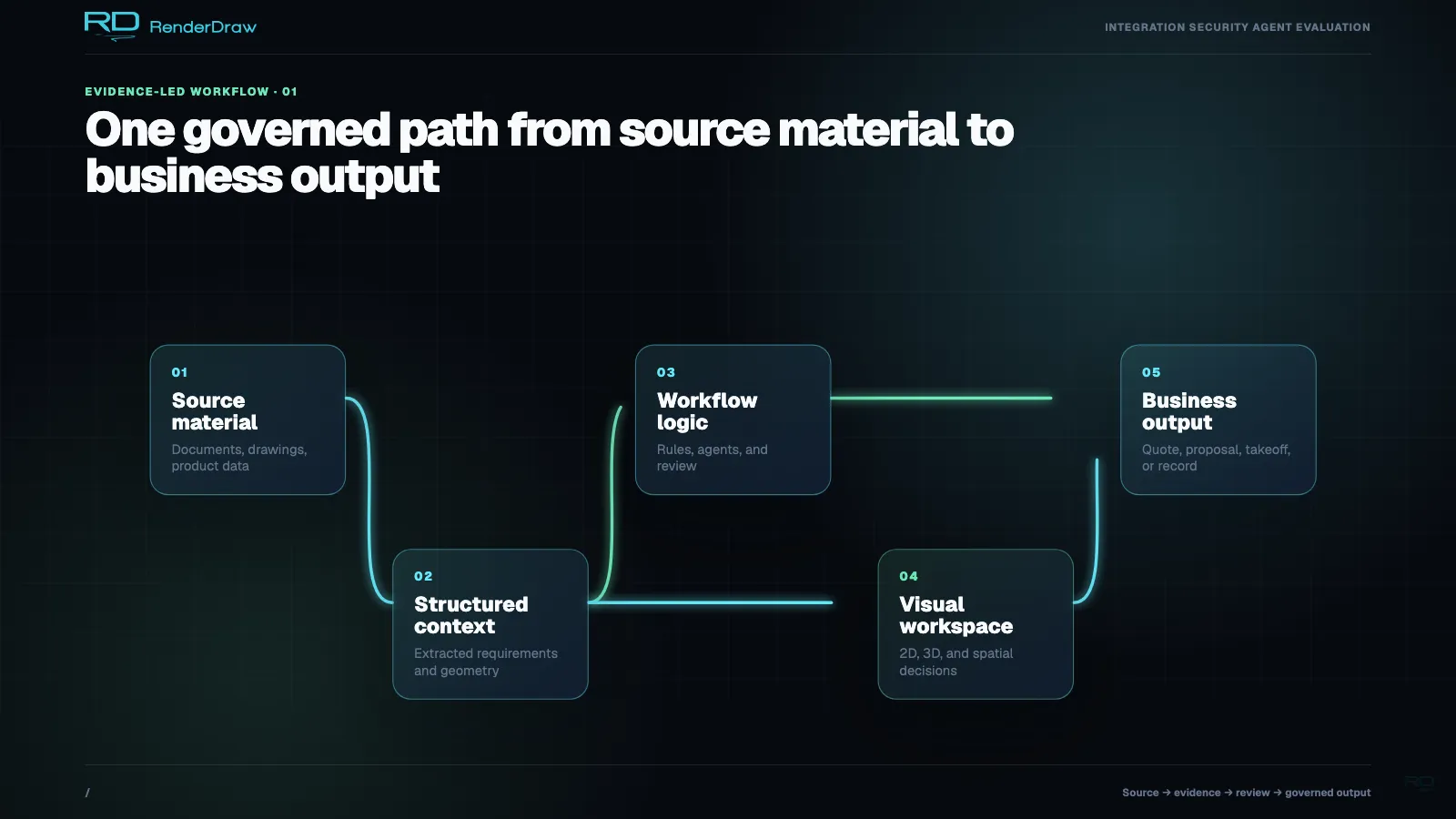
This platform map starts with documents, drawings, and product data, then separates structured context from the workflows and visual workspaces that use it. Source evidence, rules, spatial decisions, and reviewer actions remain visible along the path. Only an approved result moves into a quote, proposal, takeoff, or connected system of record.
The platform combines the workflow builder from the app with RenderDraw's proven visual interaction stack for configuration, catalogs, and service.
Build automation with AI blocks, human approvals, CPQ actions, proposal generation, and restart-safe execution.
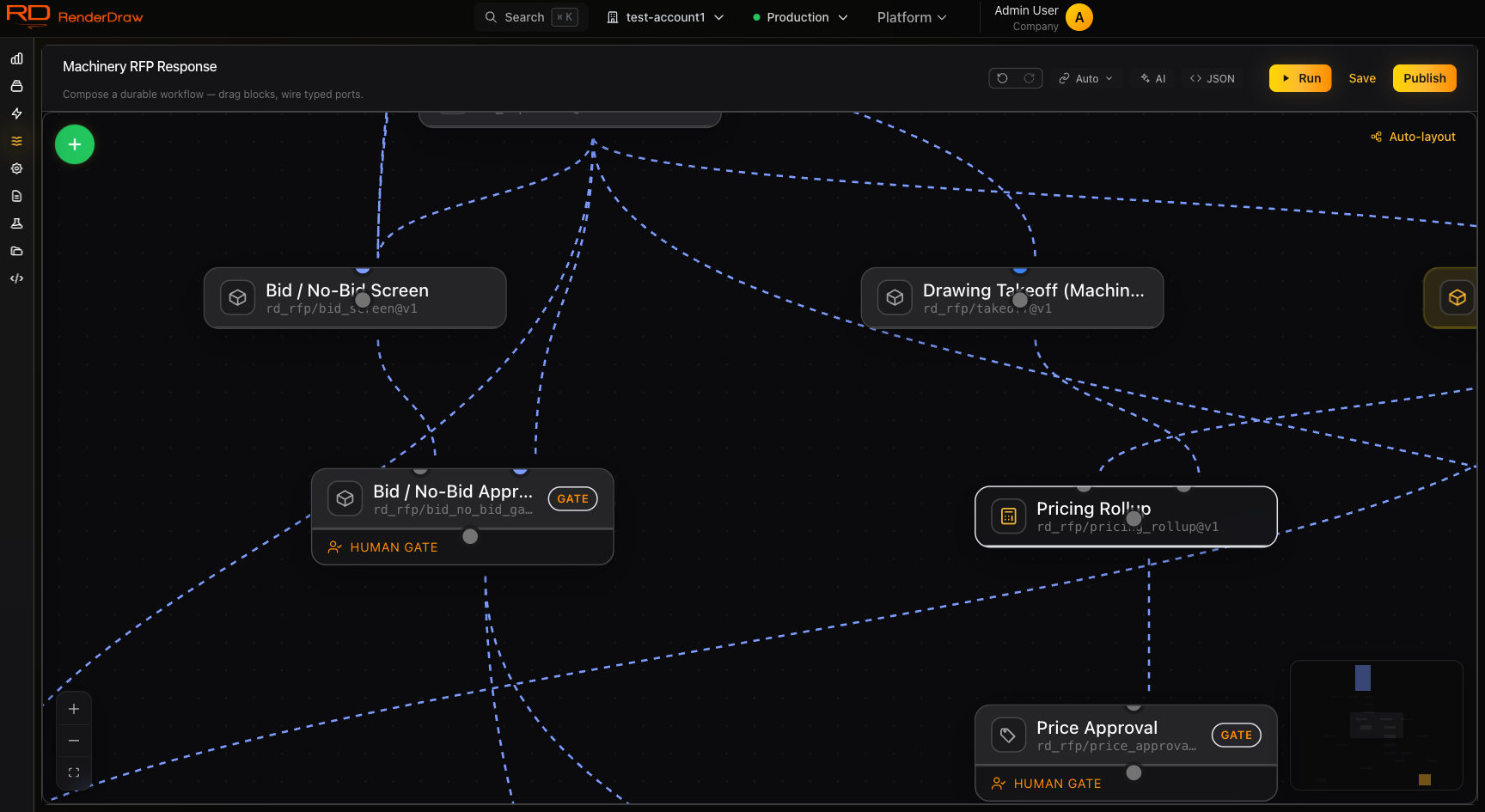
Prefill response packets from trusted knowledge, pricing, configuration, and compliance data.
Typeform-style intake for any published workflow, embedded anywhere with URL-injected context.
Use 2D and 3D configurators to keep complex product choices understandable and quote-ready.
Let customers identify parts from visual diagrams, connect carts, and keep commerce data native.
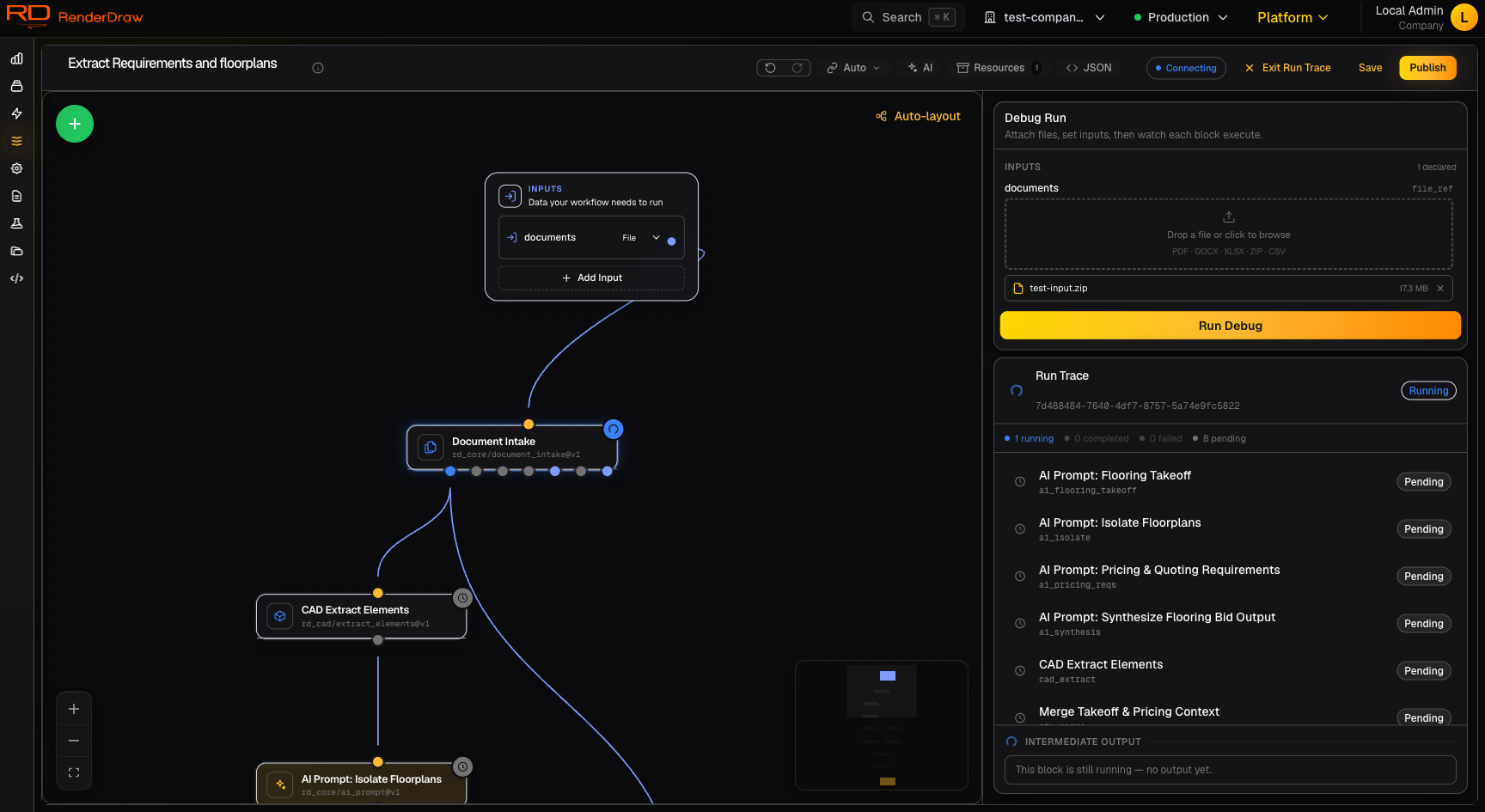
Monitor runs, inputs, outputs, approvals, and failed branches without losing operational context.
Workflows live beside the same visual products buyers already use: configurators, catalogs, digital twins, and field service experiences.
AI takeoffs, approvals, proposal steps, and downstream systems in one visual graph.
A clear operational record of what ran, what changed, and what needs human attention.
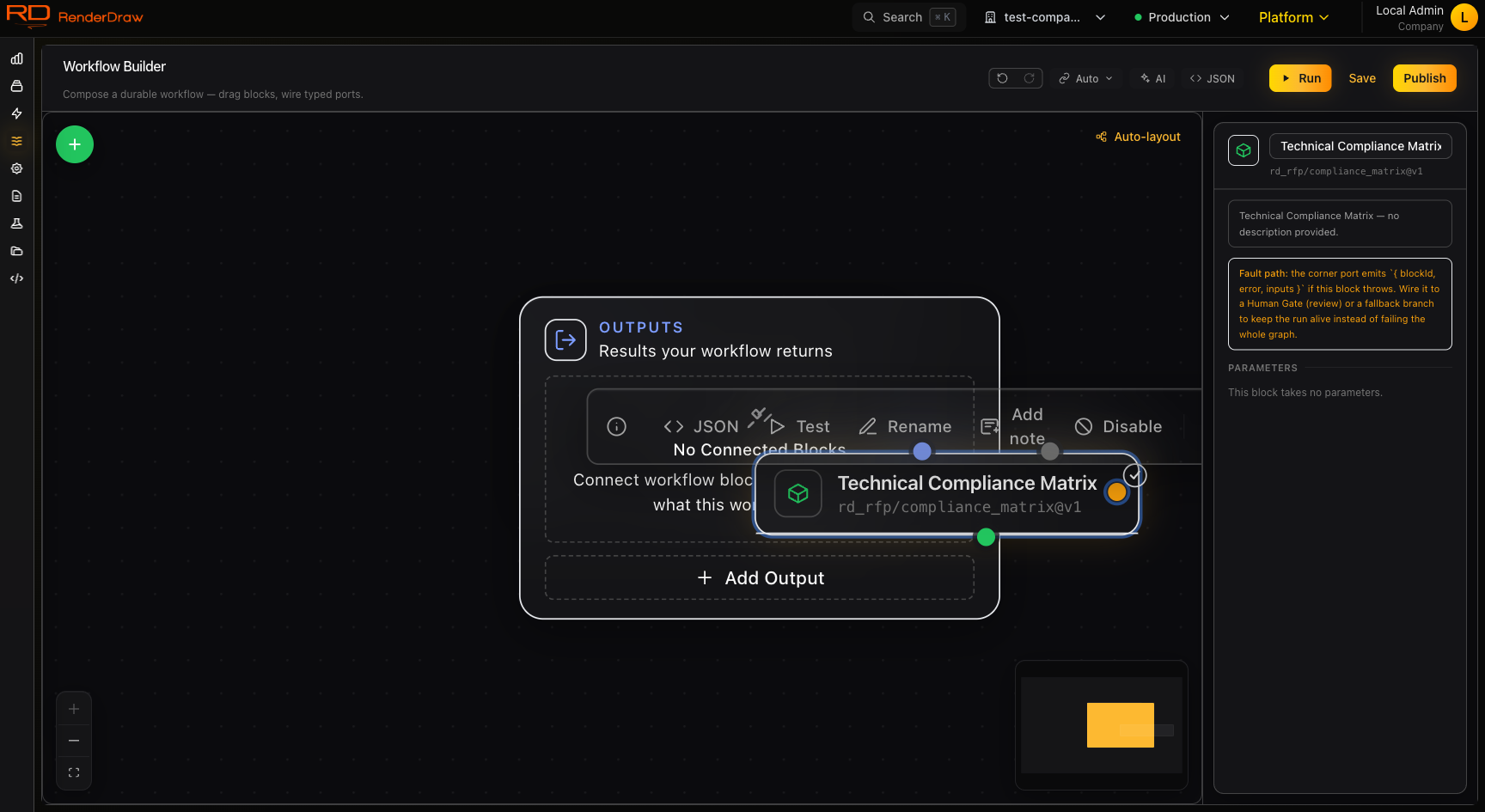
Tune workflow blocks, credentials, inputs, and outputs without losing the canvas.
Keep using CAD conversion, visual scenes, annotations, linked components, snapshots, QR codes, and guided selling. Add workflows where requests, reviews, and generated outputs need to move.
RenderDraw supports 3D visualization, 3D configuration, 2D canvases, interactive maps, location finders, data visualization, presentations, floorplans, catalogs, and workflow inputs.
View ProductsConvert CAD into web-ready experiences for configuration, guided selling, service, and digital twins.
Use drawings, floorplans, diagrams, and canvas interactions where 2D is the faster sales path.
Give technicians visual instructions, asset context, and parts identification at the moment of work.
Tie parts, commerce, pricing, and Salesforce data to visual discovery paths buyers understand.
Workflows are strongest when they stay linked to the source systems for knowledge, product data, CPQ, pricing, commerce, orders, and ERP.