
Room measurement calculator for field estimates
Enter length, width and ceiling height, then doors and windows. The calculator returns floor, net wall and ceiling area, baseboard, paint gallons, flooring to order, tile count and drywall sheets. Switch to meters to paste metric numbers, such as a metric MeasurePro export.
- Floor, wall, ceiling area
- Paint gallons
- Tile and flooring
- Feet or meters
1 · Room
2 · Openings
3 · Finishes
Rectangular room geometry. 1 m = 3.28084 ft; 1 m² = 10.7639 sq ft. Paint coverage, opening sizes and waste are editable. If your MeasurePro export is in meters and square meters, switch the unit toggle to paste the numbers directly.
Live formula
Save your results
Copy these results, then add your approved sample files in the trial brief.
Measure once, price every trade
A single room measurement feeds every finish trade: the painter needs net wall area, the flooring installer needs floor area plus waste, the tile setter needs a tile count, and the drywall crew needs sheets. The calculator turns one set of room dimensions into all of them so a field estimate or change order can be priced on the spot.
- Floor and ceiling. Length × width for rectangular rooms. Split L-shaped rooms into rectangles.
- Net walls. Perimeter × height, minus doors and windows. Default sizes are 3 × 7 ft doors and 3 × 5 ft windows; edit them.
- Baseboard. Perimeter minus door widths.
- Paint. Net wall area × coats ÷ coverage from the paint data sheet.
- Flooring and tile. Floor area with waste; tile count from the tile size.
One room, every quantity
| Room (ft) | Floor (sq ft) | Net walls at 8 ft, 1 door, 2 windows |
|---|---|---|
| 10 × 10 | 100 | 269 |
| 12 × 10 | 120 | 301 |
| 12 × 14 | 168 | 365 |
| 15 × 20 | 300 | 509 |
Tape, laser, or iPhone
Tape and laser measurements work, but they are easy to mis-key and hard to share. RenderDraw MeasurePro is an iPhone and iPad app (iOS and iPadOS 17.6 or later) that captures rooms with LiDAR on supported devices or with tap-to-capture, lets you correct walls, openings and heights, and exports PDF, CSV, JSON or USDZ. Measurements work on the device offline and without an account.
Use the export to check field dimensions before ordering, attach a plan to a change order, or hand room data to the office.
Measure the room on iPhone. Hand off a plan, not a camera roll.
MeasurePro by RenderDraw is an iPhone and iPad app for documenting rooms: LiDAR scanning on supported devices, tap-to-capture corners where LiDAR is not available, and exports to PDF, CSV, JSON or USDZ.
- No account needed for local work. Requires iOS or iPadOS 17.6 or later.
- Correct what matters. Adjust walls and heights; add doors, windows, openings and pillars.
- Photos and notes with the room. Keep site evidence next to the measurements.
- Connected workflow when you need it. RenderDraw Platform covers takeoff review, configuration, pricing and proposals.
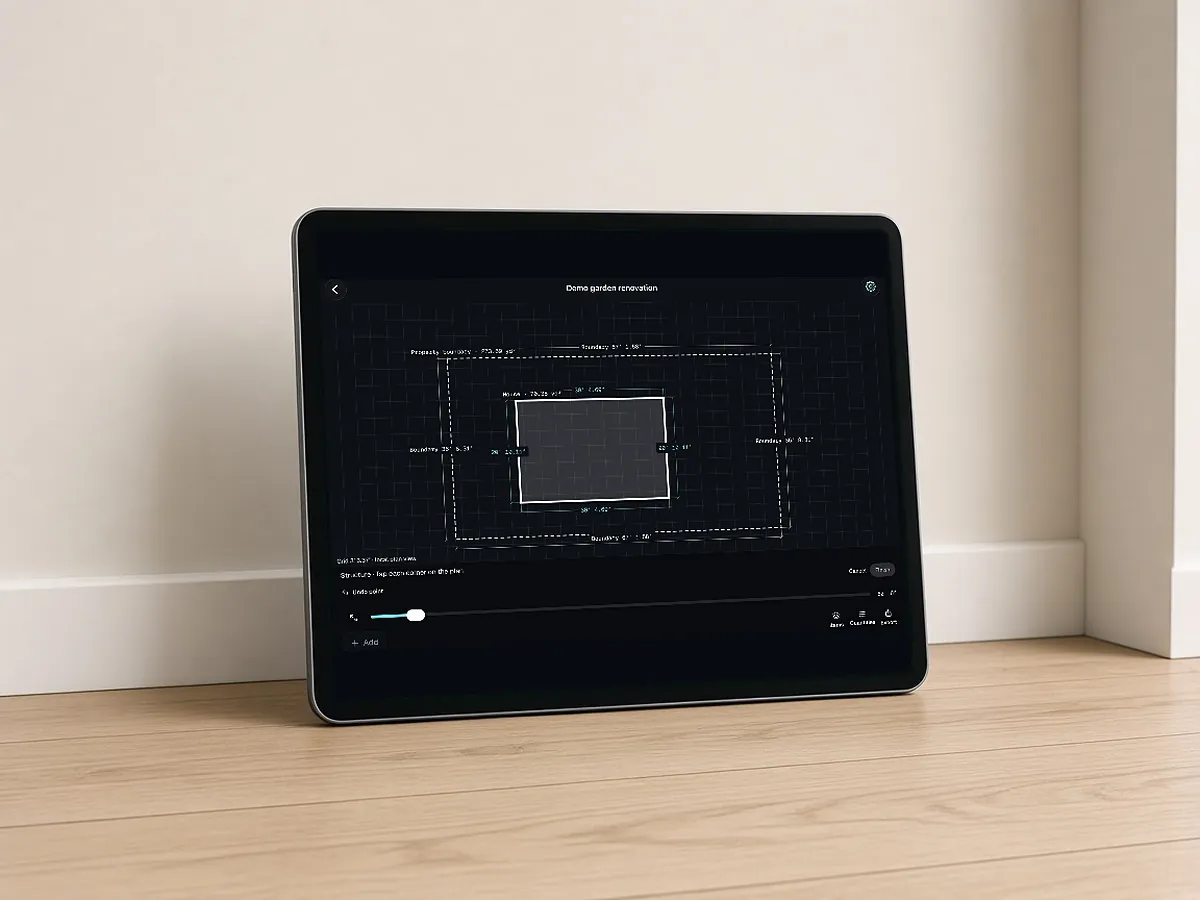
Built for estimating handoffs
Review dimensions against site conditions before ordering materials. Saved wall colors are approximate references, not paint matches.
RenderDraw does not publish accuracy percentages or time-saved claims. Test it on your own plan set.
Questions estimators ask.
How do I calculate the square footage of a room?
Multiply length by width. For L-shaped rooms, split them into rectangles and add the areas.
How much paint do I need for a room?
Net wall area times the number of coats, divided by the coverage on the paint data sheet. A 12 × 10 room with 8 ft walls, one door and two windows has about 301 sq ft of wall, or about 1.7 gallons for two coats at 350 sq ft per gallon.
How many tiles do I need for a room?
Floor area plus waste, divided by the area of one tile. 12 × 12 in tiles are 1 sq ft each.
Is there an app that measures rooms?
RenderDraw MeasurePro is on the App Store for iPhone and iPad. It uses LiDAR on supported devices or tap-to-capture, and exports PDF, CSV, JSON or USDZ.
Can I use meters?
Yes. Switch the unit toggle to meters, for example if your MeasurePro export is metric.
Measure the room with your phone.
Download MeasurePro for iPhone and iPad. Capture rooms with LiDAR or tap-to-capture, correct walls and openings, and export PDF, CSV, JSON or USDZ.
- Download MeasurePro on iPhone or iPad (iOS 17.6+).
- Scan or tap-capture a room, then correct walls, openings and heights.
- Export PDF, CSV, JSON or USDZ, or plan the connected workflow with RenderDraw.